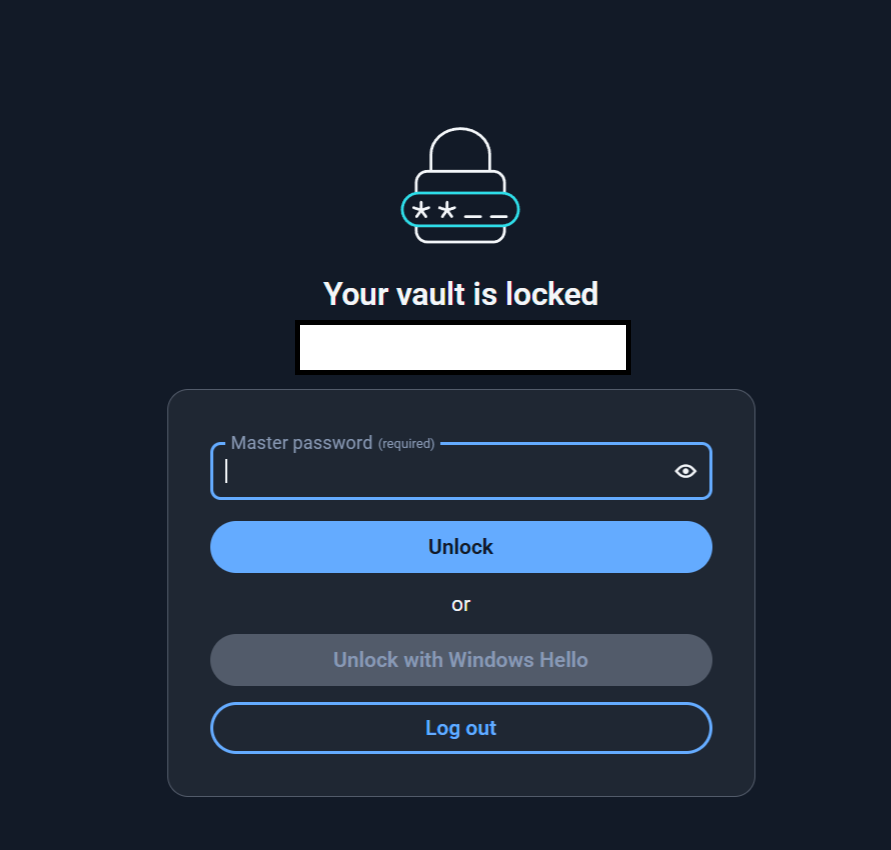
I can no longer open by Bitwarden Desktop app (Windows 11) using Windows Hello. I have to type in password every time and only if I keep the app running but locked, I can open it with Windows Hello. Why? What is this? What happened?
This seem to be somehow related to latest updates, since Release Desktop v2025.8.0 · bitwarden/clients · GitHub says:”Removed setting for requiring password or PIN on app-start when using biometric unlock. Password or PIN now always required on Windows”…and in here Bitwarden Desktop App with Windows Hello inconvenient - Ask the Community / Password Manager - Bitwarden Community Forums sayed @grb “Unfortunately, due to a recently discovered encryption vulnerability"…”
But this does NOT explain it. Is this a feature or a bug? If because of security vulnerability, then what vulnerability exactly and how did it affect? Are people who have used Windows Hello in past somehow still vulnerable (leftover files, temp files, etc. still on computer even after this feature was disabled in Bitwarden, etc.)?
I would really like someone to explain this to me…what happened? Why was this done? Where was this documented or explained?
And if there is a way to get it back working with just Windows Hello, how?
PS. Added screencap to point out the issue:”Unlock with Windows Hello” is greyed out, cant be selected/clicked.