It would be a good idea, I think.
@FootStomper @Outright5339 I moved your posts of the previous feature request (“Auto-Save Before Timed Lock”) into this existing one, as it is essentially the same request. You can vote for this one again if you wish.
1 Like
@Daniel_Blais Welcome to the forum!
I merged your post with this existing Feature Request to the same topic (“… maintain unsaved data”).
1 Like
The Android version is also in dire need of a solution to this. I immediately encountered the problem when I used the Android app for the first time: after creating a secure note and typing the text, pressing the back button returned the app to the previous page in a very smooth manner. There was no prompt or warning of any kind, and the note vanished silently as if nothing ever happened.
Many regular note-taking apps have autosave when navigating back. It’s not strange users sometimes may press back button habitually or accidentally. There needs to be a way to prevent this whether through a warning popop, a draft system, automatic saving, or any other reliable ways. The current behavior in Bitwarden forces me to draft content in another app first before transferring it into Bitwarden to save it, which adds unnecessary complexity.
Probably less directly related to the topic, but another feature I found missing is the undo/redo functionality for the note’s textarea. It could become a nice addition to help reduce loss from accidental edits or deletions during editing.
1 Like
Seems this feature is finally implemented!!! In the Release Browser v2025.5.0 · bitwarden/clients · GitHub changelog:
- Add persistence to the add/edit flow so work is not lost when the extension loses focus
But for me on Firefox and Chromium it doesn’t work well. When I click on “+ New Login” and type something, then click outside of the popup widget, the widget closes. When I open it again, the widget displays the previously opened add/edit form (previously it got lost), but all entered data disappears.
Is it expected for the current release, or something is wrong?
1 Like
Лёха, ты писал это уже несколько лет назад . Вообще, этой теме больше 7 лет. Подожди ещё. Осталось недолго
1 Like
Interesting. I also observe that this is not working in 2025.5.0 (in Chrome) or 2025.5.1 (in Edge). Also, scanning through the PRs that were merged from 2025.4.0 to 2025.5.0, I find nothing that stands out as being an implementation of persistence.
Seems like persistence was in fact added in a merge of PR #12236 back in January, 2025, but perhaps it has been hidden behind a feature flag. However, then I see that last week, there was a merge of PR #14634, which removes the persistence functionality (although the discussion suggests that it will be made optional).
My guess is that the Release Notes are inaccurate.
I was using the web UI to create a new item (a note in this example) - I switched away for a moment to gather some more data, and Bitwarden logged me off (it has a very short inactivity timeout).
When I relogged on, I found my “work in progress” was gone.
This can be particularly bad if you were creating a new item from one of those pages that says, “this is the only time I’m ever going to show you this ”.
1 Like
@DougH Welcome to the forum!
Are you referring to the Web Vault (e.g., vault.bitwarden.com)? This feature request is about the browser extension and mobile apps — the Web Vault does remember its unsaved data when focus is moved to another tab or app.
The problem you’re describing is could be the subject of a separate feature request. There is a possibly related request here: Warning Prompt when Closing Apps with Unsaved Information.
Unrelated to the problem, but as piece of advice: best practice is generally to set the vault timeout action to “Lock” instead of “Log out”.
Ahh, thanks for the information @grb - I found another topic against the “password manager” and it was closed and pointed me over here.
I’ll take a look at the linked topic.
Re logoff vs lock, I was using the website vs the native windows app - I’m unsure whether it was a logout or a lock - but my experience was definitely “the data I’d entered was gone” (it was a brand new item that had never been saved.
The data loss would occur in either case. My point was simply that if you have set your Vault Timeout Action to “Logout”, you should probably change it to “Lock”, even though that will not help with the specific problem you’ve described above.
Checked out the Proton Pass browser extension and it manages this issue pretty well! When I type something in the form (even password) and do not save, just click outside of the popover window, it closes, but when I open it again - I see all the entered unsaved data there! So, would be great to have the same from Bitwarden!
@Murz Well, in theory, Bitwarden makes a step in this direction:


But for one thing, I don’t see it in my browser extension 2025.6.0 yet. (?!?)
And maybe an improvement… but I must admit, I’m not that enthusiastic about it myself. – It probably can help in most cases, to have it being kept for two minutes… But it’s nothing, I could absolutely rely on - just one “distraction” or whatever, that keeps me away more than two minutes from the task, and the information I entered is gone nonetheless and just as it was before…
So, I really have mixed feelings about this “new persistence”.
1 Like
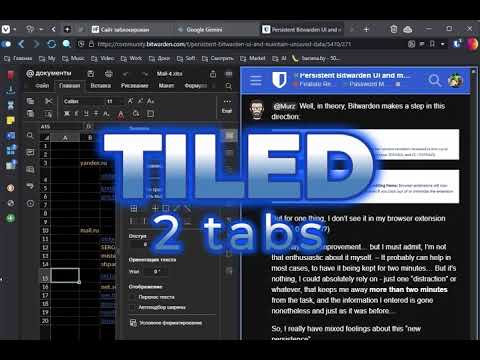
(v 2025.6.1)
for @Nail1684 and @Murz
BW is still trying to combine this “One Click” strategy with the concept “Usability”
1 Like
This feature is now working in version 2025.6.1 of the browser extension. In my opinion, the feature request can therefore be closed. The thread is tagged “app:all”, but (without reviewing the entire thread), I believe that it is entirely about the browser extension.
There are still things that are not cached (basically, anything except data entered when creating or editing vault items — i.e., logins, notes, cards, and identities), including:
- Scroll bar position
- Information entered when creating/editing Sends
- Field type and name of custom fields
- Files selected for attachment
- Information entered when configuring “Unlock with PIN”
- Domains entered on “Blocked Domain” or “Excluded Domains” forms
- Folder names
- Passwords and settings configured on “Export Vault” form
In addition, as you’ve noted, the two-minute limit may be an issue for some. And as illustrated in the video posted in the comment above, the data is lost if the active browser tab is changed.
Nonetheless, I think that the current implementation is a dramatic change from what has ever been possible previously in the Bitwarden extension, and I am reasonably certain that this implementation will satisfy a large percentage of the 392 voters for this feature request. Any further improvements to the persistence functionality (e.g., adding a user-configurable persistence timer) would be best addressed by opening new feature request topics focusing on specific deficiencies of the current implementation.
1 Like
For recent work completed on persistence in the browser extension, please see Release Notes | Bitwarden for more information.
2025.6.2
- Persistence in browser extensions when adding & editing items: Browser extensions will now cache changes to item data for up to two minutes even if you click out of or minimize the extension window.
Just yesterday, I wanted to add a new login via the browser extension – and as I wanted to add some more URIs, in that moment I didn’t think of the things that break the current persistence and thoughtlessly clicked on a link, which opened a new tab… and poof, all data gone again in an instant in my unsaved extension window…
So, it is an improvement, but nothing I can really rely on.
2 Likes
This topic is temporarily closed for at least 4 hours due to a large number of community flags.
This topic was automatically opened after 2 days.