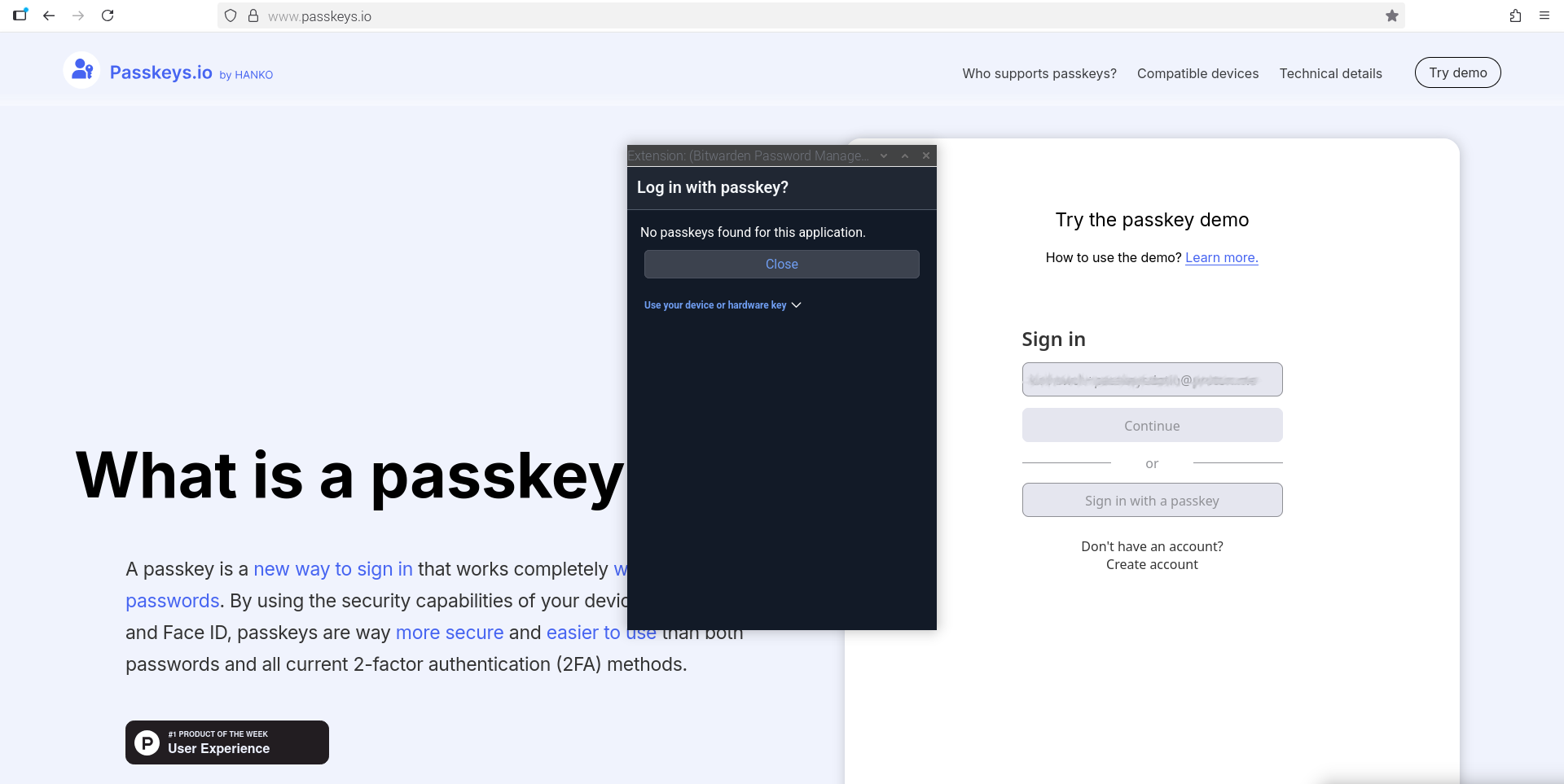
I am not sure if I understand what you are trying to accomplish. Do you want to login to Bitwarden with a Passkey or do you want to store Passkeys in Bitwarden?
Can you explain further what exactly did not work as expected?
You do not create one Passkey for several accounts, but one Passkey for each account.
Do you have the Bitwarden browser extension installed?
When I enter an e-mail address at passkeys.io, the next step is a big blue button “Create a passkey”. After clicking it, the browser extension asks me to create a key.
Please be aware that this key can only be used to login at passkeys.io, a demo website.
Just a sidenote to the “passphrases ↔ passwords” topic: using passphrases only makes sense when you have to memorize the “secrets” or (regularly) have to type them in – or both. In most or all other cases, passwords of comparable length are recommended (as they are way more secure than passphrases).
I previously today created a passkeys.io account with only a verified email (as I didn’t know how to use a passkey), before installing the Bitwarden browser extension.
The screenshots I provided are trying to log in to passkeys.io with the verified email address and after Bitwarden browser extension is installed.
I guess I’ll have to contact passkeys.io support on how to remove the account, so I can use the email with a new setup, to enable Bitwarden browser extension to activate the passkey generator thingy?
Like @marlin suggested, as it is just a demo site, you could use another email address to create a passkey. – You can also create a passkey for this forum here, as this usually works very well. (Profile → Preferences → Security → Passkeys)
You’ll see that not all sites implement passkeys that well, unfortunately.
Oh la la, francais courriel/email! Viva la France hon hon hon…go the lefties
TLDR; the webpage is fighting with 3 passkey and password manager prompts when I tap the cursor in the username field, for me to tap prompt Bitwarden passkey extension, Firefox browser password manager, KeePassXC passkey extension.
Tried the Bitwarden Community website log in with passkey and multiple errors for 1st time users, however finally logged in with Bitwarden passkey by navigating to the log in webpage and tapping Log in with a Passkey.
I think this can be labelled the solution, I just need to clean up the browser log in page so other 3rd parties’ prompts/interruptions stop appearing over Bitwarden.
Thanks to the helpers and good luck to any noobs trying a 1st time passkey