Currently, when I try to connect using the Bitwarden ssh-agent, I get the following prompt:
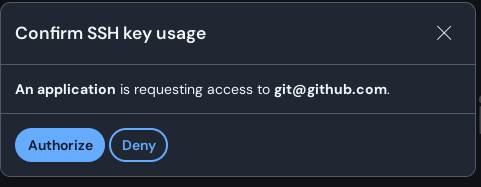
It’s very annoying because the window doesn’t minimize when I click Authorize or Deny.
Please add an option to minimize when clicked.
Currently, when I try to connect using the Bitwarden ssh-agent, I get the following prompt:
Same on macOS, an annoying glitch in an otherwise really cool feature!
Agreed. Also, I was surprised to find that I cannot use the keyboard to authorize or deny, at least on Linux. My expected UX is that receive the prompt, and I can press Enter to authorize or ESC to deny.
It’s suboptimal UX to go from hands-on-keyboard in a terminal to needing to use the mouse to click buttons
Yea same here indeed.
You should be able to enter to accept/authorize and then Bitwarden needs to go back in the background so you end up again on the app that was requesting the auth.
I can do it with the keyboard now: enter to deny, the selected default value, or shift+tab to select authorize and then enter.
Option to minimize bw window after ssh key approval
Here’s the Related GitHub Issue for anyone interested 
@mwdle @VaultSoldier Could you please clarify if this feature request here is actually the same request as Minimize window when confirmed SSH key usage ? (in that case, I would merge both requests)
Yes, you can merge it