We need to be able to order the authentification.
Welcome to Bitwarden @sioc. Are you able to describe this a little further please? Exactly what do you want re-ordered, in what context?
I’d like to be able to change the display order, if you add a new authentification and you want to put it on top of the list you can’t. that is whhat i meant by that
1 Like
Do you refer to the list of login options that drops down when there is more than one login for a site, or do you refer to the list in the vault?
The first of those automatically defaults to the last one used, which covers some useful cases, while the vault is in alphabetical order.
what vault? I open the application and there is a list and that’s all no other display option, the only vault mention is in the setting for export.
i use version 2024.55.0 (23)

I do not recognise your display so I do not know how you got to where you are. I guess you are using an Android phone? My display of Verification codes on an iOS device has four symbols at the bottom, “My vault”, “Send”, “Generator” and “Settings” while at top left is a back arrow to the vault itself. How did you navigate to there?
In any case, why would you need to go to the Verification codes when it is already available under the login itself, the area I was discussing?
I need to pass you over to an Android (or simply more experienced) user for further assistance, if one is willing to step in.
@Mulled7768 Well… it seems, you are not familiar with the new Bitwarden authenticator app (Download links: Password Manager for iPhone, Android, Chrome, Safari and More | Bitwarden | Help site: Bitwarden Authenticator | Bitwarden Hilfe-Center)… and you didn’t watch the tag. 
@sioc … And your one-sentence first post was maybe too short. And for a feature request, I think the possibility of voting is missing. 
But I see your point @sioc. It seems, the added accounts are added as “latest-lowest” and the ability to sort it A-Z, Z-A, … or arrange it as one like (or even tag favourites which are always on top, e.g.) would be nice. 
1 Like
Thank you for the lesson, @Nail1684, indeed, I didn’t watch the tag. 
1 Like
Agree and seconded!
Hello folks!
The ability to re-order the accounts would be SO helpful (even into collapsible sections would be a dream).
@katzi I moved your post into this existing feature request - and “split” your post, as you also had another feature request: Font size options
Hello Bitwarden Community, Today, we are in 27 February 2025.
Please allow me to ask you to make a function to change the position of the accounts & sites you have TOTP for. Like, personally, i’m a big fan of arranging my accounts by length, starting from the most short letters to the longest, like that, it is extremely clean.
If you guys feel the same way as me, the Bitwarden Community, or even the devs, let me know what you think about this.
Thank you very much and let me know about an update for this feature request. I’m down to listen to all opinions/point of views/future dev updates on this matter.
Have a great day,
Vlad Neamtu
Three features to make Authenticator more convenient:
- The ability to pin an account to the top of the Authenticator list.
- The ability to reorder the remaining list A/Z or Z/A.
- The ability to drag individual accounts to a different location in the Authenticator list.
1 Like
@Ocat Welcome to the forum!
I guess your second point is consistent with this feature request here. Just FYI, a feature request should be about (more or less) one specific thing only (otherwise no one knows, what the votes are for…), so for your first and third points, you’d have to seek for that in separate feature requests.
(before you open a new feature request yourself, please search for possible existing feature requests to the same topic first)
I tried to create a new topic in the ‘authenticator’ category.
The system indicated that a tag must be chosen; however, when I select a tag, the system says the tag is not allowed in the ‘authenticator’ category.
I tried all the available tag categories.

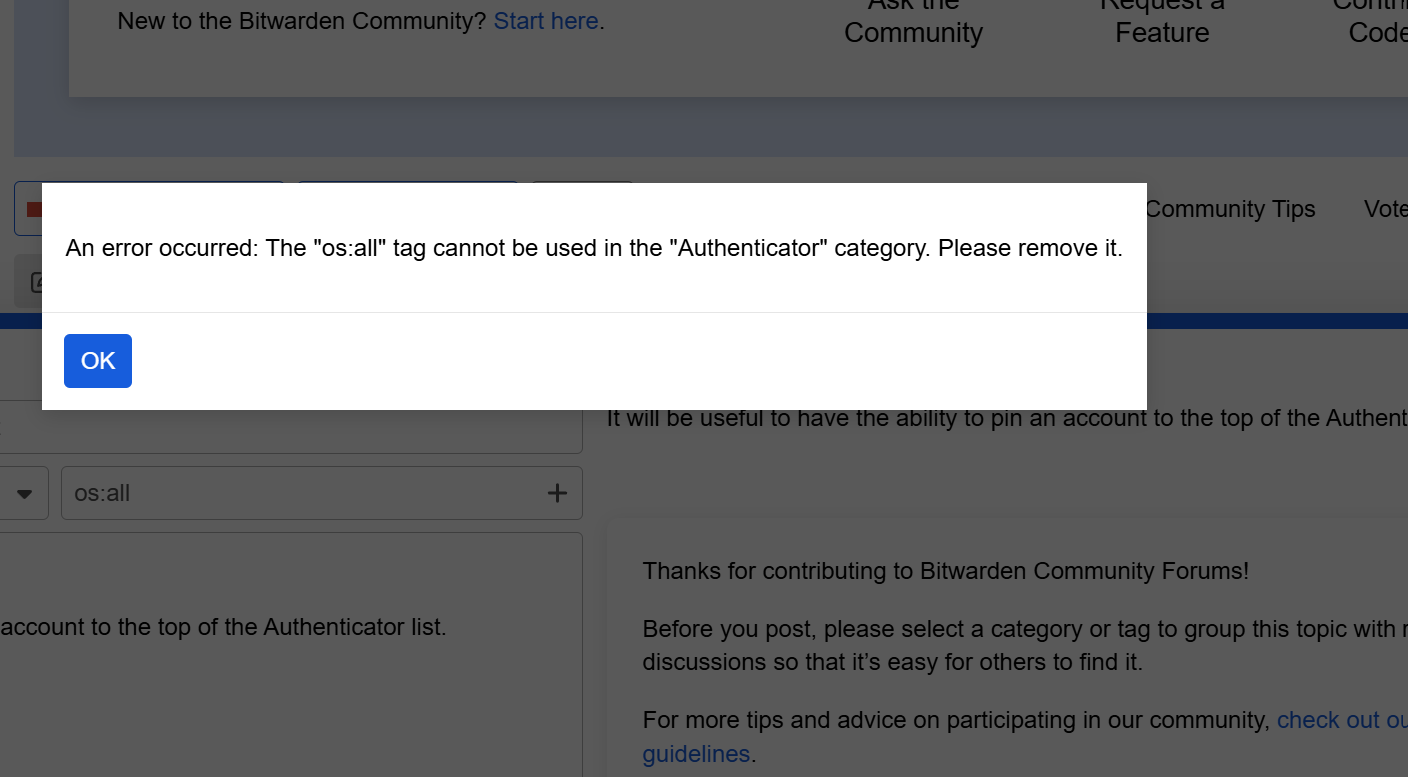
@Ocat Thanks! I just tried it myself - and you’re right, it isn’t possible at the moment. I forwarded it and I hope, that will get resolved soon!
Should be resolved now. Could you try it again?
It works now. Thank you.
1 Like