Hello Bitwarden Community,
I would like to suggest a feature that would significantly improve the user experience when managing login items within the Bitwarden app, especially when using Safari.
Currently, when you tap on a saved login item, Bitwarden simply auto-fills the username and password fields. While this feature is useful, I believe we could benefit from more options to enhance our workflow.
For instance, similar to the functionality in 1Password, I propose the addition of a swipe-left gesture on the login item that reveals a “More Details” option. This would allow users to view all fields associated with the login item, and enable them to copy and paste any specific field as needed.
Furthermore, it would be helpful if users could modify and edit the login details directly through Safari, making it easier to update any information without having to switch back to the Bitwarden app. For example this will help tremendously when trying to copy and paste fields while registering for a new site.
I believe these enhancements would provide greater flexibility and control while using Bitwarden for managing credentials. Thank you for considering this request, and I look forward to hearing feedback from the community!
@Paging6888 Welcome to the forum!
Just to be sure: you are (only?) talking about the Bitwarden mobile app on iOS?
Hi @Nail1684 thank you.
This is when using the extension through safari on iOS.
For example if you go to this site
and select the username field, then bring up the Bitwarden extension via the password icon and generating a username and a password and pressing save. Now clicking on this created entry will only fill out the password.
With 1Password, you are actually able to swipe left, click show details of this login, and are able to copy any field selected such as username, password, or any custom field created.
With Bitwarden there is no option to edit this login via the safari extension, you should need to open the Bitwarden app to copy and paste the details required.
The browser extensions are not supported by Bitwarden to be used on mobile devices/browsers.
The mobile apps should be used on phones and tablets: Download the Bitwarden Password Manager App for iPhone, Android, Chrome, Safari, and More | Bitwarden
If you want to use the browser extensions on “mobile” devices, this is your feature request in the first place: Bitwarden Safari extension for iOS and iPadOS
PS: I just closed this feature request.
I do have the app.
In the app I have turned on autofill as well as activated the App extension.
Now, when I’m in Safari and I bring up either Autofill option or the App extension you only get the option to tap the login item.
With 1Password you can actually edit the login item from within Safari using the same method. Refer to my original post photos, you don’t need to open the 1Password app.
Ah, so you are talking specifically about Browser app extension autofill… and improvements for that…
It is very hard to know what action causes what from just looking at static photos.
PS: I just “reopened” this feature request - and added "iOS mobile app “Browser app extension autofill” " to the title.
It’s hard for me to do a screen recording without it showing some personal information such as my Bitwarden email.
Of course.
With photos, you could add some info in there (the following example doesn’t make much sense, but just to illustrate it):
Hi @Nail1684,
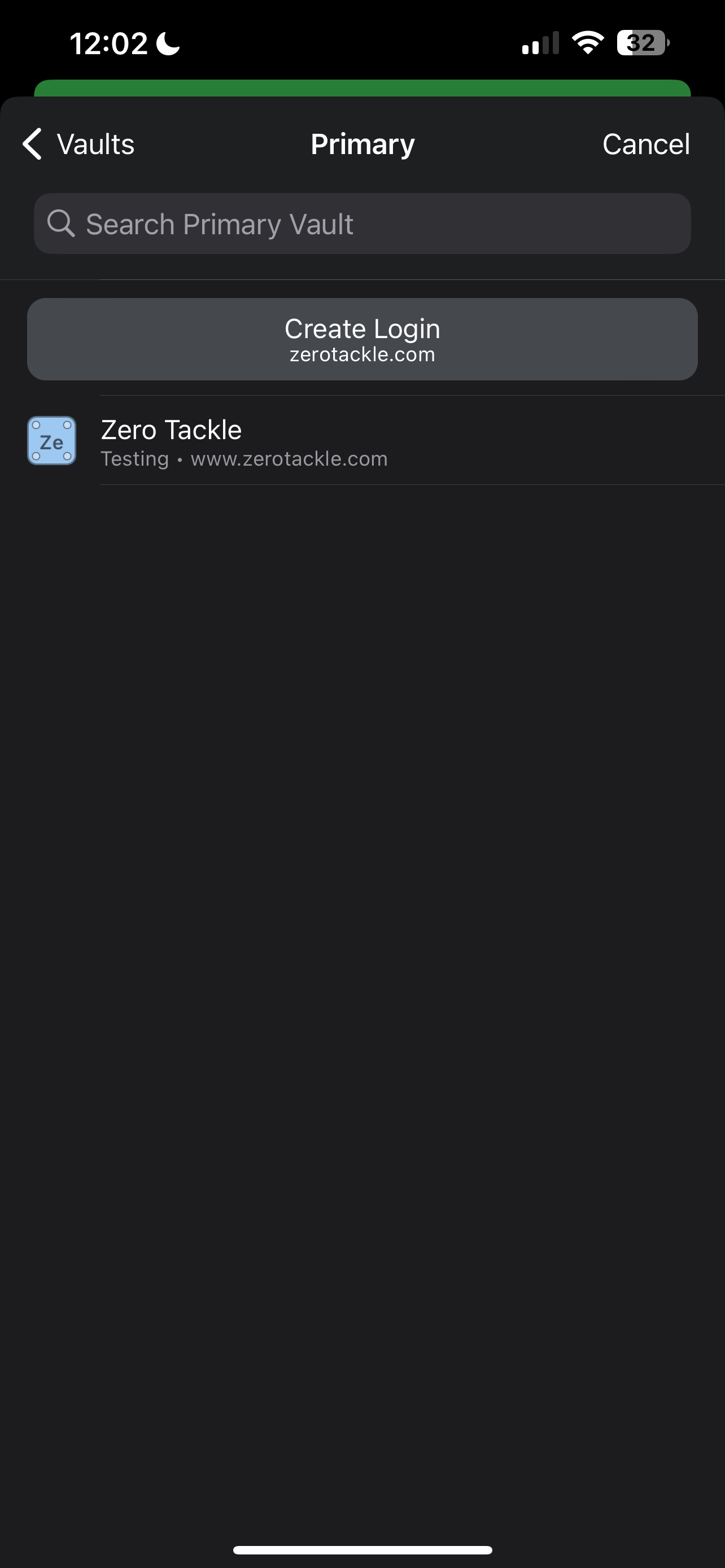
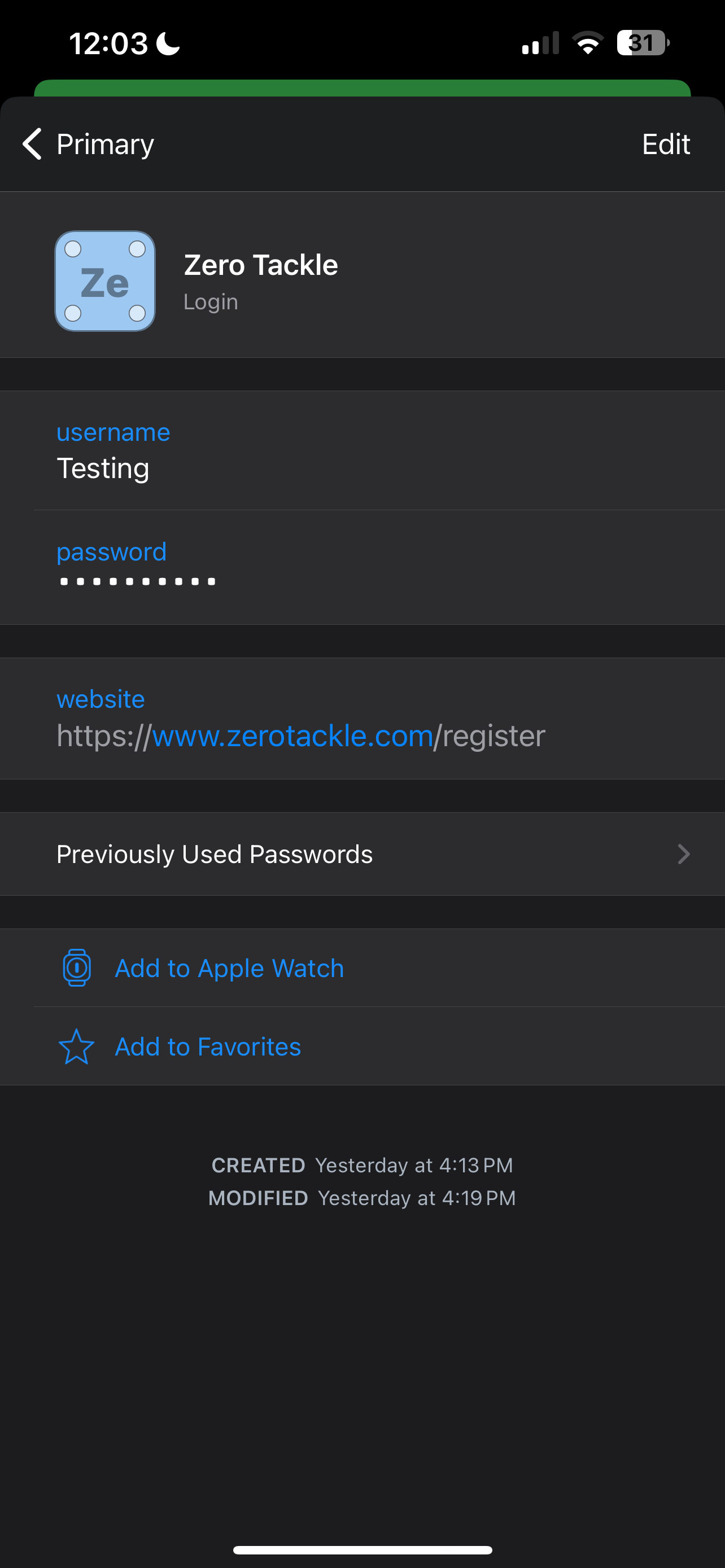
In this photo I’ve uploaded, the one on the left is the Browser app extension in Safari. The only thing you can do here is either tap the login which auto fills, or click on the + and make a new login.
What I’m suggesting is to also have something like what’s on the photo in the middle, it has the 3 dots which would allow you to bring up the menu the same as the Bitwarden app, like the photo on the right. So you’re now able to decide to tap (autofill), or click the 3 dots and be able to edit or copy fields. All done from within Safari.