I think I’ve solved this mystery. I created a test account on the EU server, and invited it to join an organization on the US server. The “Accept Invitation” link in the invitation email redirects to the following page:
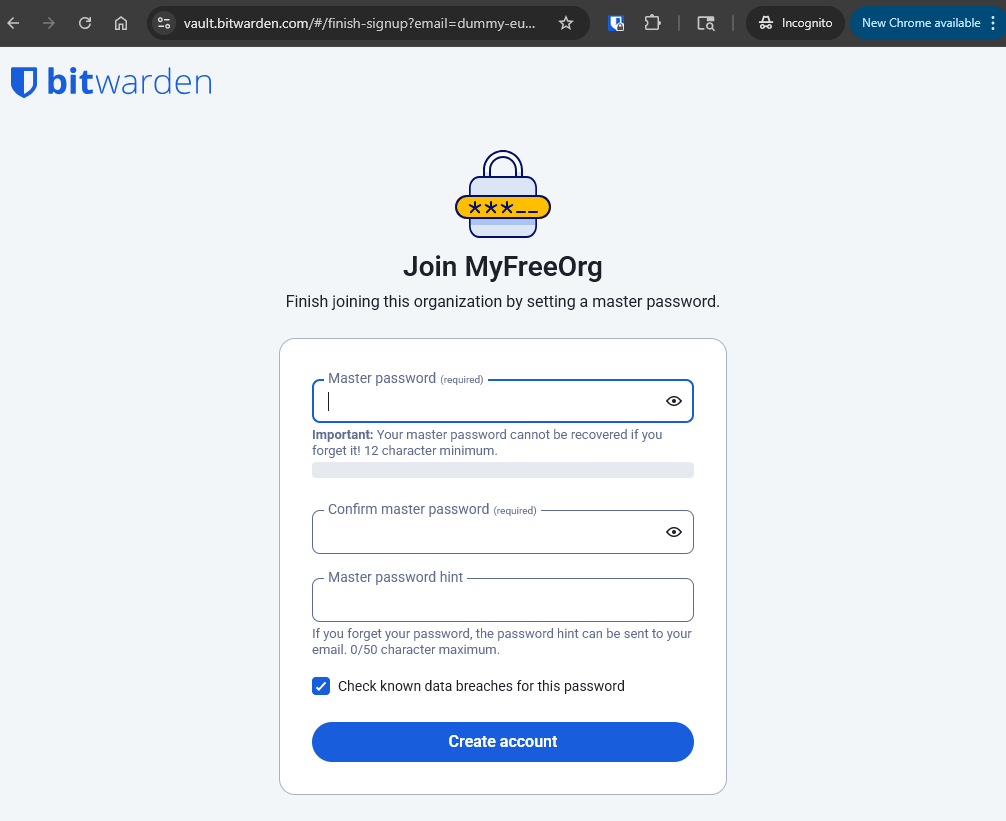
Note that the wording is “finish … by setting a master password” — not “… by confirming” your master password. Thus, accepting the invitation by entering a master password on the “Join” page creates a new account on the US server (which is completely divorced from the existing account on the EU server).
@circinate this means that your daughter most likely has two Bitwarden accounts now — one on the US server (bitwarden.com) and one on the EU server (bitwarden.eu). It is likely that she entered her EU account master password when accepting the invitation, so both of the accounts should be using the same email address and the same master password for logging in. Once you have got the organization set up the way that you want it, it would be a good idea to delete your daughter’s account on the US server (bitwarden.com).