Sure, that’s all I was hopefully expecting. Sounds good. Thanks.
I changed it to “Host. That took care of it  . Thanks.
1 Like
Just curious about the progress about this bug. I still getting prompts to add literally everywhere, I had a situation the other day where there were two different logins for the same page. When I logged in with the correct one, and then went back to Bitwarden to remove the incorrect on, there were now a dozen duplicates of the correct one, but the false entry was not displayed.
v2025.11.2
Browser extension 2025.12.0 fixes that bug – and is already rolling out (the browser stores have to approve it – if you’re on Edge, the new version is already there).
ok, and their still working on the other stuff?
What exactly are you referring to?
The multiple login entries, many of which that should have been updated but remained in the list with their obsolete data, along with other entries that somehow were added containing data such data as both website account pass codes and temporary 2fa codes, in the same entry, in place of the usernames and passwords for a site.
As an example, I just ran across a well known retail business site card account info page for which BW shows six different entries of that type, but no entries with the proper credentials. In the shopping pages, I show no login credentials whatsoever.
However, If I do a vault search for that business, on both the account and shopping pages, I get multiple/duplicate results for both the proper account and shopping logins.
I also just discovered multiples in the Identities section
Bitwarden is not going to fix individual users’ vault data. If there are significant problems with the data in your vault, then your best bet would be to restore your vault from a backup that was made prior to the start of these issues.
My inquiry was not about the current contents of my personal vault. Those are just symptoms.
What would be the point of restoring a backup. I don’t know how many months I’d have to go back for a backup replacement, and for what? Just so I wouldn’t have duplicates, etc.? All the problems would still exist, and I would be nullifying all the updates made since that backup. At least, in the current state, the latest data still exists, even if it is a jumbled mess.
You asked me what I was referring to. I simply requested an update on fixing what is causing those numerous vault issues I mentioned, over and above the “update” prompts.
That was asked by @Nail1684, not me.
There is no known bug causing your “numerous vault issues”, other than the save/update prompt issue that is being fixed with version 2025.12.0.
Commonly, duplicates are created by importing data more than once (or by importing data that already contained duplicate entries), or by saving new login entries when prompted while the vault is locked (because by design, the locked Bitwarden extension has no access to information about what entries already exist in your vault).
It may be challenging to troubleshoot the peculiarities of what has caused the duplicate or redundant vault entries in your specific case, but we can certainly try to investigate this further, if you are willing to participate in fact-finding and testing.
or by saving new login entries when prompted while the vault is locked
I’m on a PC. Importing data = update login?? I don’t understand “vault is locked”, unless you mean not logged in to the Firefox BW app?
I’m happy to participate in the investigation. What’s next?
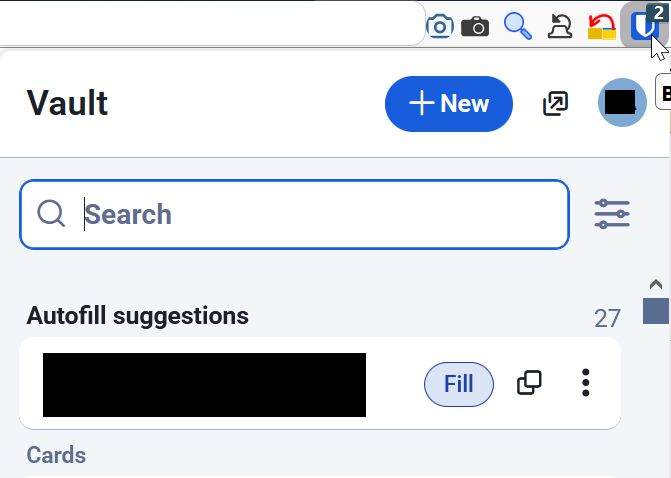
One other thing I noticed. The “badge” says “2”, but there is only “One” autofill suggestion
I don’t understand the question. Importing data does not in any way merge or combine the imported items with the existing items — if the imported file contains an item already present in the vault, then the import will create a duplicate.
When the icon looks like this, the Bitwarden browser extension is logged in, but locked:

If the browser extension is logged out, then the icon will be gray.
Typically, users set the Timeout Action (under Settings > Account Security > Vault Timeout) to “Lock”, and then configure a timeout interval that specifies when the vault will be locked after a period of inactivity.
This might be a glitch due to caching — try to refresh the web page, open and close the browser extension, or restart the browser. If the issue persists and is reproducible, you may have found a bug in the Firefox extension.
The difficult part is going to be to attempt to uncover the circumstances under which your duplicates are being created. How often do you notice new duplicates appearing? Do such incidents correlate with any specific actions that you have recently taken (e.g., clicking Save on a “Save Login” prompt? Importing data into your vault from file?).
You may be able to get some clues by looking at the “Created” date/timestamp for each item in a set of duplicate items. Were multiple items created on the same date? Do you recall what actions you may have taken in the vault on that date?
I don’t understand the question. Importing data does not in any way merge or combine the imported items with the existing items — if the imported file contains an item already present in the vault, then the import will create a duplicate.
I was trying to define importing vs save login in the context you were using it. My point was, I seem to have two imperfect choices…**importing old data (**all things considered, at this point, unacceptable considering the consequences), or ignoring the save login prompt.
Typically, users set the Timeout Action (under Settings > Account Security > Vault Timeout) to “Lock”, and then configure a timeout interval that specifies when the vault will be locked after a period of inactivity.
That has never been a necessary settings option for me. Any access to BW on my system is on an encrypted drive
This might be a glitch due to caching — try to refresh the web page, open and close the browser extension, or restart the browser. If the issue persists and is reproducible, you may have found a bug in the Firefox extension.
I cleared the cache/cookies. Unlike before, tho it still show the “2” badge, it now has 2 sign-in options, but one is not appropriate for that address. I deleted it
Do such incidents correlate with any specific actions that you have recently taken (e.g., clicking Save on a “Save Login” prompt? Importing data into your vault from file?).
Of course. You say “recently”. How recently do we mean? Isn’t that how this whole ordeal started? So now, I/we are tasked with manually cleaning up the inconsistencies, one page at a time, and do it repeatedly. .
You may be able to get some clues by looking at the “Created” date/timestamp for each item in a set of duplicate items. Were multiple items created on the same date? Do you recall what actions you may have taken in the vault on that date?
I have four BW logins here. Two duplicates. One duplicate has a username, the other has my email.
One login from each duplicate pair, i.e. a sign-in option with a username matches the same date in the other duplicate pair that uses the email.
So, if that’s not clear, we have two of the four logins, that have conflicting ID’s that match one date, and two others that match another, later date.
How do we explain that, when the, the username, was the only data entered at that time?
The only thing I said about those two actions is that they both can lead to creation of duplicate entries in your vault. If you still have a question, please let me know.
You do have a timeout setting configured, whether you’ve consciously set it or not. Please go to Settings > Account Security in your browser extension, and let me know what settings have been selected in the “Vault Timeout” section.
My whole line of questioning is for the purpose of trying to help diagnose the problem (something you had previously indicated you would be “happy to participate in”).
I was essentially suggesting to you to work backwards, finding a set of recently created duplicates, and doing your best to recall the specific circumstances and actions that may have lead to the duplication. Thus, the events should be sufficiently recent that you are likely to be able to remember what happened.
An alternative would be to look only forwards, which would work if you are willing to keep a journal of notes on potentially relevant actions you take while working with your Bitwarden vault (especially any actions that involve importing login items from a file, or actions related to clicking Save or Update buttons in prompts that ask whether you wish to save or update logins). In particular, record the date and time, whether the Bitwarden extension was locked (padlock overlay on the Bitwraden icon), unlocked (blue icon, no padlock), or logged out (gray Bitwarden icon), describe the action you took (e.g., importing, saving, etc.) and what website you were on, and make note of whether anything unexpected was observed. Then, from time to time, check if any new duplicates have appeared in your vault, and cross-check your notes to determine what actions may have lead to the creation of the duplicate items.
Bitwarden looks at the username and website address when deciding whether to update an existing login item or to create a new login item. Thus, if you log in to the Community Forum site first using your username (bituser) and later using your email address, then those would be saved as two separate login items.
Since we are troubleshooting the origin(s) of these problems, I was informing that, in my case, Vault Timeout could be eliminated as a cause to be considered.
The only thing I said about those two actions is that they both can lead to creation of duplicate entries in your vault. If you still have a question, please let me know.
Bitwarden looks at the username and website address when deciding whether to update an existing login item or to create a new login item. Thus, if you log in to the Community Forum site first using your username (
bituser) and later using your email address, then those would be saved as two separate login items.
ok, but isn’t it the problem that I was asked to update a login that was not used? I thought that the point was BW is supposed to correctly recognize when a login needs to be updated before prompting to do so?
My whole line of questioning is for the purpose of trying to help diagnose the problem (something you had previously indicated you would be “happy to participate in”).
I am fully willing to participate. If I’m asking questions or for explanations, I’m not trying to be obstinate. I’m trying to understand, and let you know, as precisely as I can, the details of my circumstance, so we can hopefully arrive at some conclusion, whatever that might be.
All that said, I just logged into a well known website, national website, and was asked to update. Directly after, I updated to BW 2025.12.0. I then logged out of that website, logged in again, and was sill prompted to “save”.
If you want assistance with the troubleshooting, it would be more helpful if you could provide the information requested (" Please go to Settings > Account Security in your browser extension, and let me know what settings have been selected in the “Vault Timeout” section."). I have not seen any information that allows me to rule out your timeout settings as a contributing factor in this issue.
If a duplicate was created, then the prompt you would have seen would have been a prompt to save a new login, not to update an existing login.
If Bitwarden detects that a login form is submitted from a website for which there already is a matching login item in the vault, then it will ask to update the existing item if (and only if) the login form’s username field matches the username stored in the vault (but the password does not match). If you entered something different in the login form’s username input field, then Bitwarden will ask if you want to save the new username as under a new login item in the vault.
And you’re 100% certain that the prompt had an Update button (as opposed to “Save”)? If so, this means that the password stored in your vault was outdated — does that seem plausible? Where did you get the correct password from (since you successfully logged in to the site) — are you using another password manager?
And when you saw that “Save” prompt, was the browser extension locked or unlocked?